
Portal
• Rolled back User > Employee Assignment to pre 12/18 release. The 12/18 update was not showing a user all of the employees the user should have access to.
• Added the ability for punches originating from Kiosk and Intellipunch for which no Timecard is available to display in Clocks>View Records Log with a Rejected status.
• Updated the 'Punch Summary' report to handle punched lunches in the same way as Automatic Lunch Deductions.
• Email Timesheet Approval
• Updated the approver experience and added the ability to enter a Rejection Reason. See Approve Time with Email Timesheet Approval
• Made Rejection Reason visible on Timecards as a tooltip on time pair rejection icon. See Email Timesheet Approval Process and Setup
• Added email approval timestamp to Manager Approval column on Approvals page
• Rolled back User > Employee Assignment to pre 12/18 release. The 12/18 update was not showing a user all of the employees the user should have access to.
• Added the option to view the Assignment Start Date on an Employee Timecard by hovering over the Assignment Name
• To view this, go to the Assignment column on an Employee Timecard and hover the curser over the Assignment name; the Assignment Start Date will appear 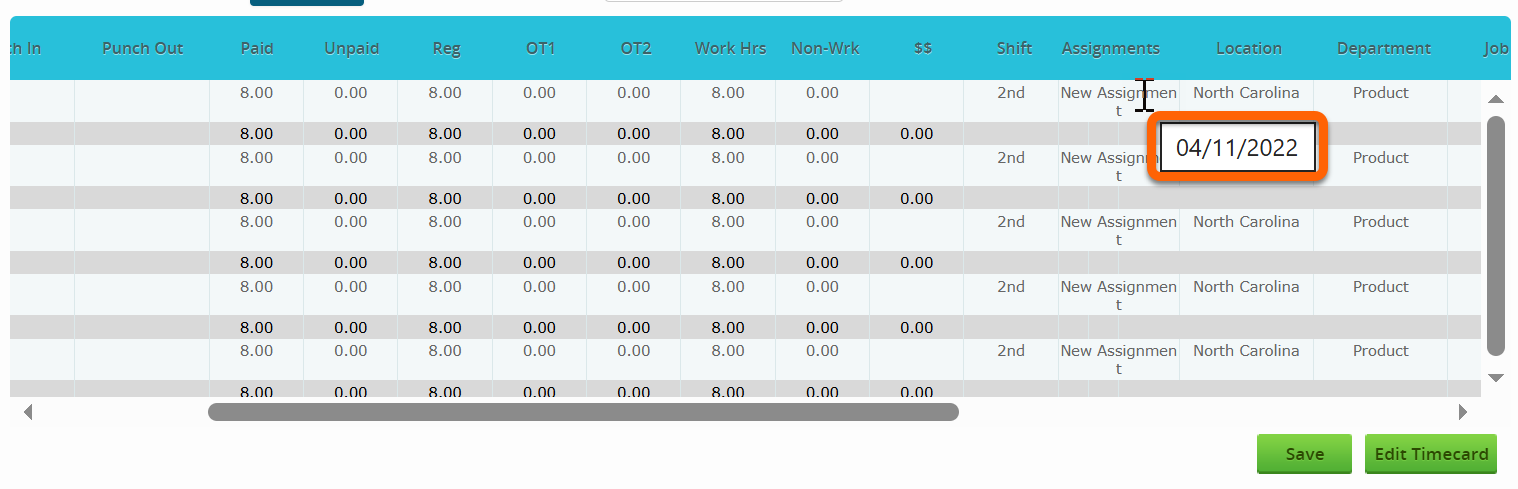
• Added the ability for updating the employee "Shift" field on every file import , rather than only during the initial import, ensuring shift data stays current
• Fixed an issue that could cause meal premiums to remain on a timecard after being manually removed
Reports
• Made adjustments to the Partner Usage Report to account for any clients or employees deactivated during that current month
• To access the Partner Usage Report, navigate to Reports from your Partner page, Select "Partner Client Information" from the menu on the left side, and then select the sub-tab "Monthly Usage"
Mobile App v2.12.0
• Fixed an issue related to the camera toggle button not functioning properly for some Android users
Intellipunch v2.12.0
• Update for transfer punches to be pulled for "last punch" from the API
• This resulted in a fix for all punch button options to display