
Portal
Important Portal Navigation Upgrade:
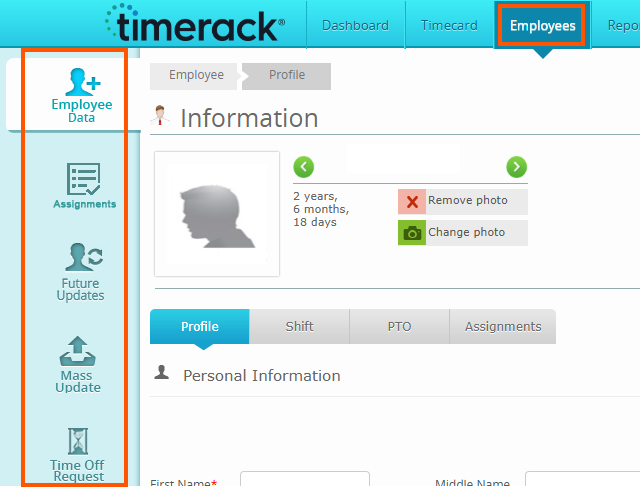
• NEW Employees tab at the top navigation bar to the right of Timecard. When the Employees tab is selected, the following will appear on the left side navigation menu and no longer appear under Timecard navigation:
-Employee Data
-Assignments
-Future Updates
-Mass Update
-Time Off Request
• Employees will still be available from Quick List on the Client Dashboard.
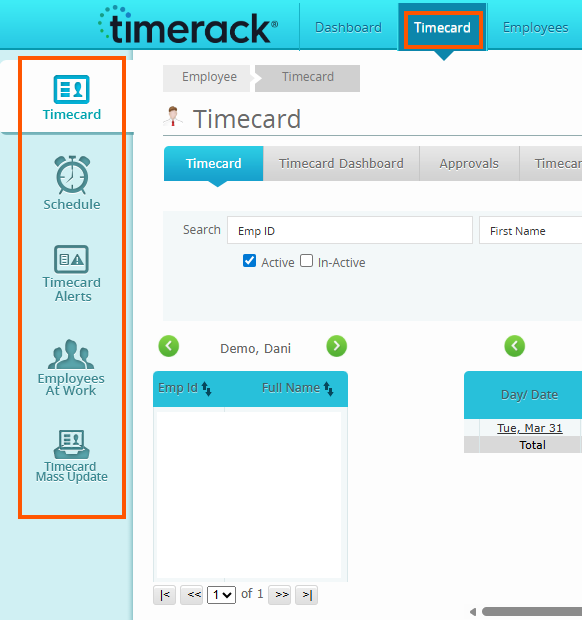
• The Timecard tab will now show the following:
-Timecard
-Schedule
-Timecard Alerts
-Employees at Work
-Timecard Mass Update
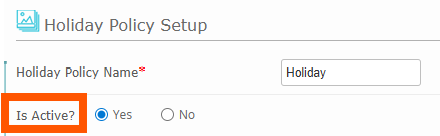
• Holiday Policies no longer in use are now able to be deactivated. By deactivating a Holiday Policy, it will no longer allow the inactive policy to be assigned to an employee.
• The Leave Request feature on the Employee Data profile now only triggers the permission for Employees to submit Leave Requests but not view the Time Off Calendar. Visibility to the Time Off Calendar is now controlled by selecting 'Show Time Off Calendar' which is a sub-setting of the 'Leave Request.'
*Please note, any employees who currently have 'Leave Request' already selected, will have 'Show Time Off Calendar' enabled by default which can then be unchecked as seen fit.

Reports
• The Employee Assignment report now shows a column for additional levels created (Level 4 & Level 5) that pull data from the integration. This report can be accessed by navigating to Reports>Assignments>Employee Assignments.
• The Punch Response report can now be filtered by the response options to the clock questions for easy visibility into a specific question and response that you need data for. This report can be accessed by navigating to Reports>Others>Punch Responses.