
Portal
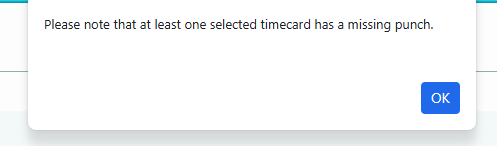
• Added a notification to the user during the Timecard Lock feature to alert the user that there are missing punches on timecards they are attempting to lock. For more about Timecard Lock, check out the article Timecard Lock.
•You can now view the Punch Type on the View Records Log for the timeclocks. Navigate to Clocks>View Records Log to view this information.
•A new enhancement to the Employee Maintenance tab now allows you to set criteria for deactivating employees with no hours in the last 7 days. To set this automated rule, navigate to Settings>Employee Maintenance>Select your criteria>Save.
• Alert Policy: New Alerts
• OT2 (DT) Alert - if the employee has more minutes of OT2 for a given day than specified in the textbox, an alert will populate.

• Punch Past Scheduled Out Time Alert - if the employee punches out more than the specified number of minutes past the end of their scheduled Out Punch, an alert will populate.

**For more information about Alerts and setting up an Alert Policy, view the linked articles.
Reports
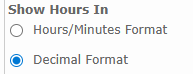
• The Daily Punch Summary report was updated to open with Decimal Format selected as default. To access this report, navigate to Reports>Timecard>Daily Punch Summary.
•The Department Invoice report was updated to reflect "Position" if specified on the Employee's Profile Page.