
• Added Tooltips to the 'Kiosk Config' tab for various preferences- hover over the blue question mark icon on that page to view.





•You can now enter total hours on an employee's timecard in decimal format.
•The Auto Logout for the TR365 site was enhanced to reset more frequently as users are navigating around a page.
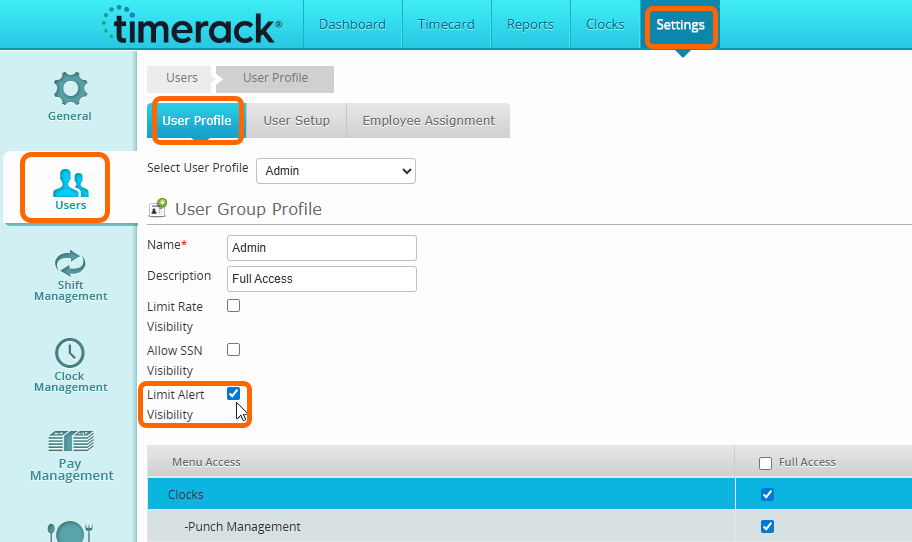
• Added the permission to hide Timecard Alerts tab.
• This option is available as a checkbox under the User Profile page for "Limit Alert Visibility."
• This will prevent a user assigned to this role from seeing the alerts on the timecard and dashboard.
• Timecard rows now recalculate when a Shift is changed for an Employee.
• An example would be; an employee is assigned to first shift, they punch in to the hours of second shift. When their timecard is edited to reflect second shift, any rounding policies, meal premiums, etc. will recalculate and take effect as if it were the original applied shift.
Reports
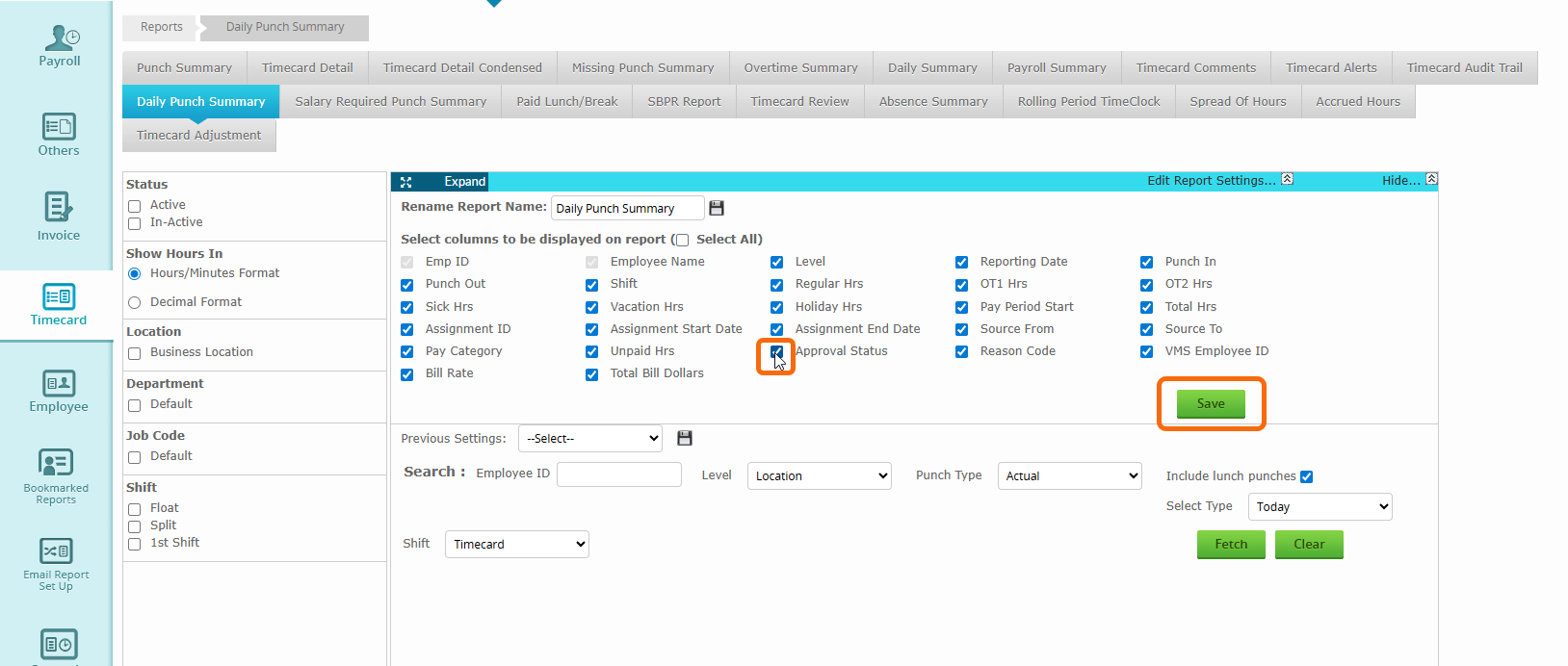
• Added additional columns to the Daily Punch Summary Report.
• Approval Status
• Reason Code
• VMS Employee ID
• Bill Rate
• Total Pay Dollars
• Total Bill Dollars
Note: These columns can be removed from your report if you do not wish to pull them by selecting 'Edit Report Settings' unchecking the boxes and selecting 'Save'.
Mobile App
• Fixed an issue related to Paid Lunch/Meal Premium displaying under 'Accruals' via the mobile app.