When a punch has been Rejected by the server and it has been determined that the punch is valid, it must be reprocessed in order to post to the applicable timecard. Clients do not have the ability in the UI to reprocess punches that have been Rejected for reasons other than an incorrect Card Number and must contact Timerack Support for assistance. Currently, there is only a report to reset punches for one employee (Card Number) at a time rather than for multiple employees.
Use cases:
Employee began punching prior to the Payroll Start Date that was entered
Employee punched after the timecard was approved
Employee's profile had not yet been created in the portal when they punched
Employee's profile was in In-active status in the portal when they punched
This article explains how to reset Rejected punches to the Unprocessed state so that they can be reprocessed and Accepted to the applicable timecard.
Rejected punches are reset by running Report 865 (Reset Rejected Punches) in Data Export Manager, which changes the punch status from R (Rejected) to U (Unprocessed) so that the next time the clocks are polled, the punches will be processed again.
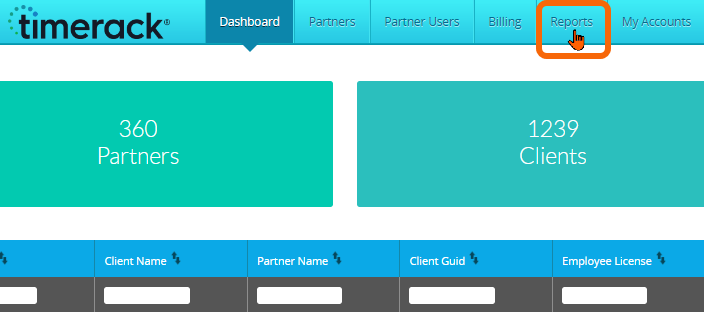
1) From the Admin Dashboard, navigate to Reports.
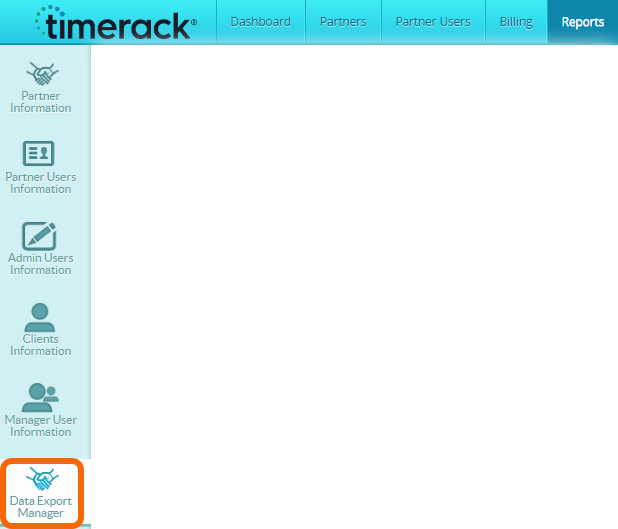
2) Choose the Data Export Manager option on the left.
3) Retrieve report with ID 865 (Reset Rejected Punches) from the Report List in the lower portion of the page.
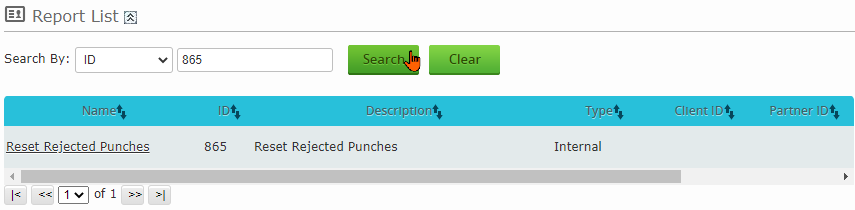
4) Click on the report Name to open the report.

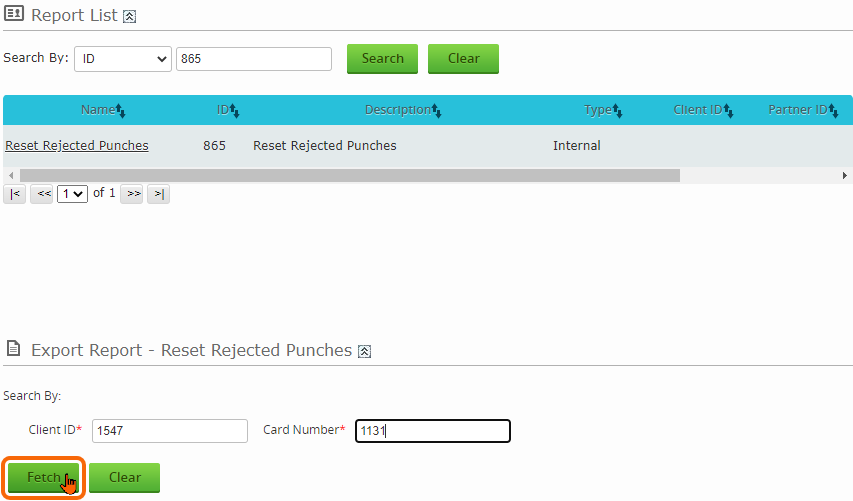
5) Enter the Client ID (find by hovering your cursor over the Client name on the Admin Dashboard) and the Card Number for the employee whose Rejected punches you want to reset.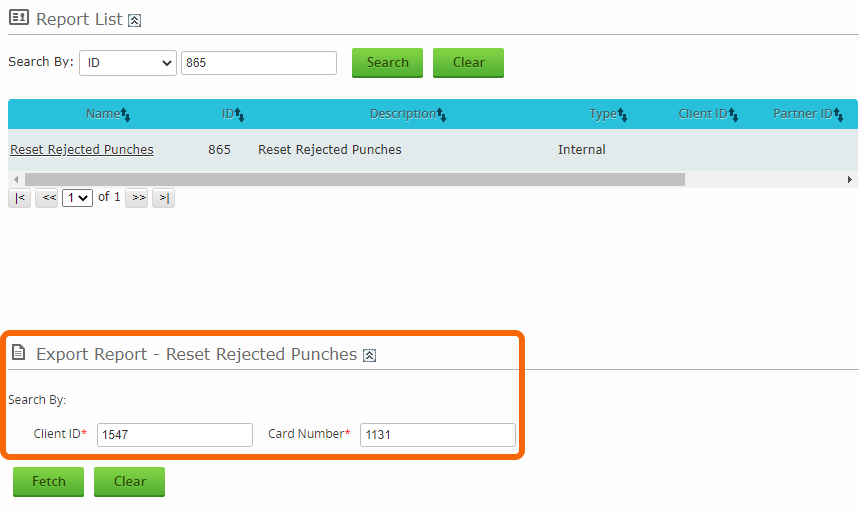
6) Click the Fetch button to execute.