
Elastic is a way for us to see if a 905 is hitting our clock server successfully with a response code of 200, or there is an error with a response code of 500. We currently don't have the ability to know what the response code 500 error is, but that will be an indicator that the ticket will need to be escalated. You will also be able to see commands being sent back and forth including configuration in formation and punch data.
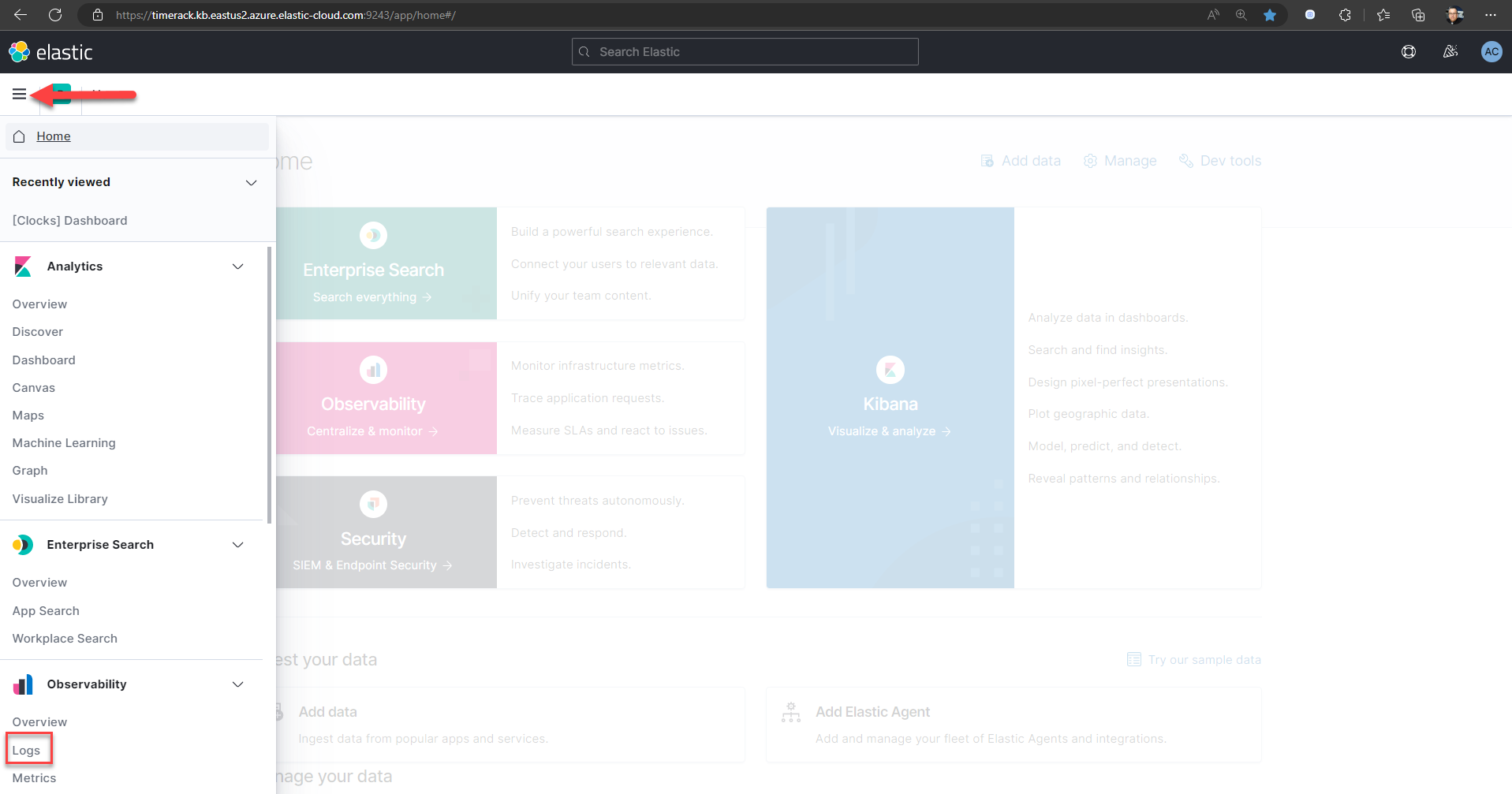
To begin a search of a clock you will need to go to the "logs" page with the clock serial number:
Once you get to the logs page, you can enter the serial number of the clock, and select the date range you would like to view the data for:
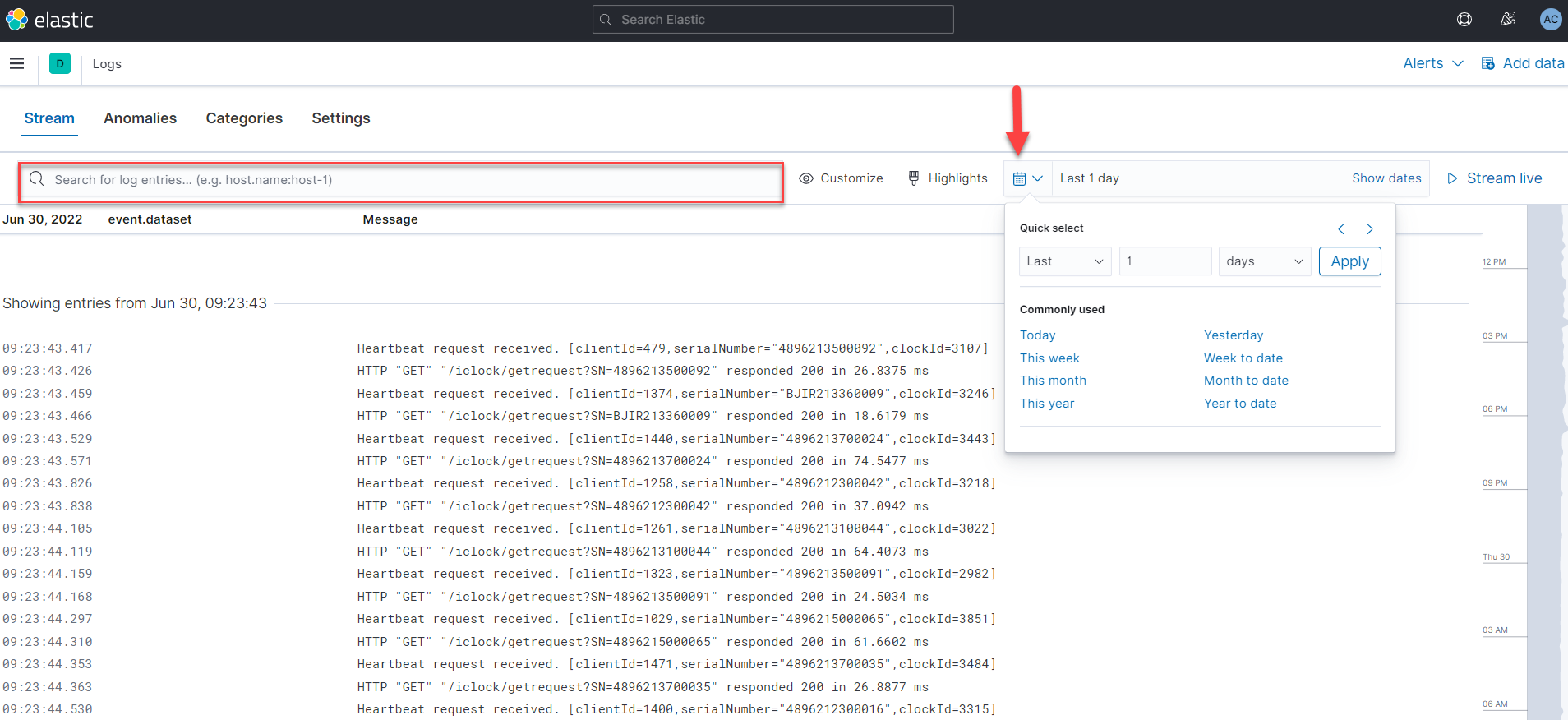
If you receive a ticket for a 905, this should be one of the first places you check to find out if we are actually able to see the clock hitting our server, or if there is an error. If you enter a serial number and it is not connecting to the server, you will see the following screen:
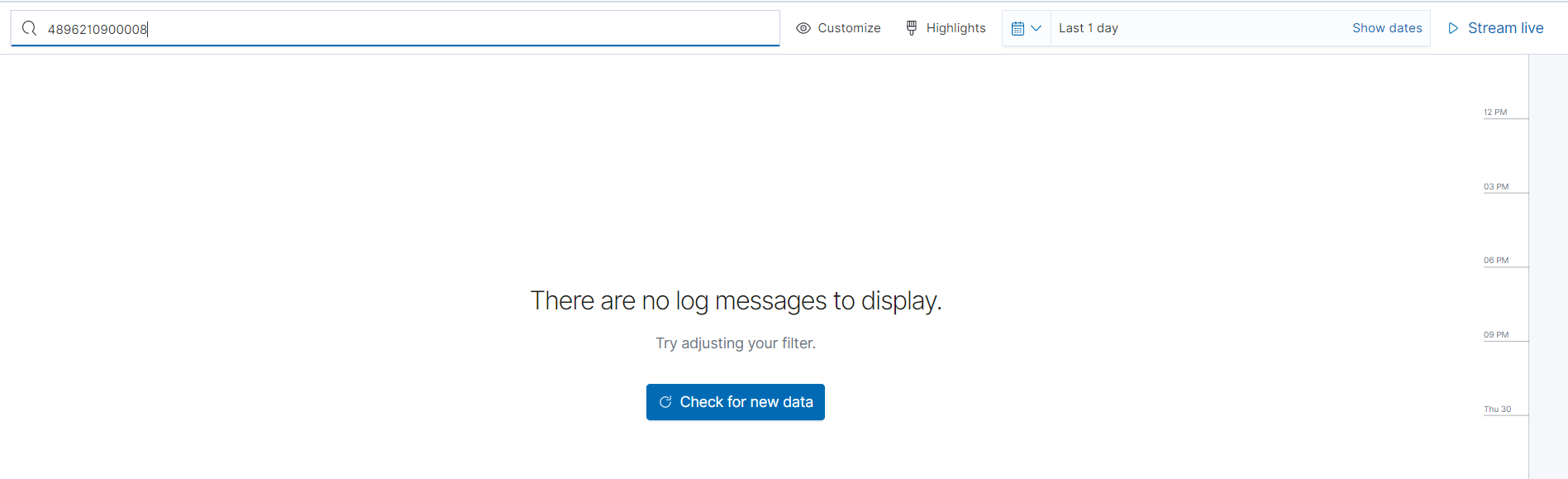
This clearly shows that the 905 is not connecting to our server and additional troubleshooting steps should be taken.