
Overview
If you’re using Swipe & Go, missed punches can disrupt the order of time pairs on a timecard. Previously, correcting this required manually adjusting multiple punches.
With the Insert Punches feature, you can quickly add missing punches and automatically reprocess the affected day. This saves time and reduces manual edits.
When to Use This
Use this feature when:
•An employee missed a punch
•Punches are out of order
•You want the system to recalculate the day automatically
How to Insert a Punch
1. Open the employee’s Timecard
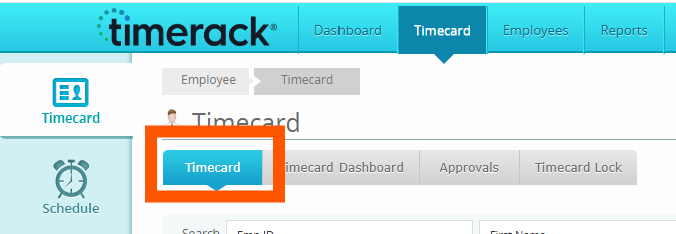
2. Click Edit Timecard
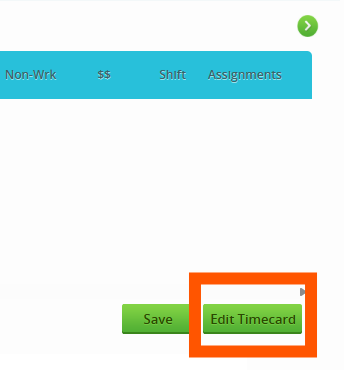 3. Click the Insert button above the timecard

4. In the Insert Punches window:
•Select a Date
•Enter a Time
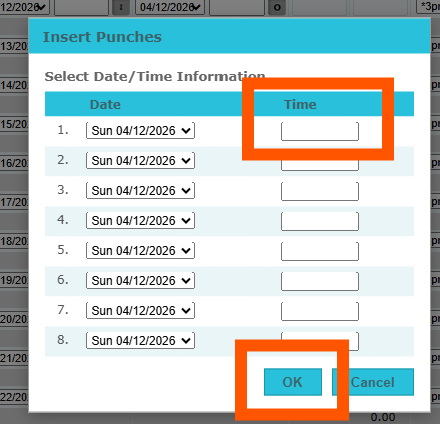
5. Click OK
**You can enter multiple punches at once using multiple rows.
Please Note: If you click OK without entering any time:
•You’ll see the message:
“Please enter time.”
•No punches will be saved
Canceling
Click Cancel to:
•Close the window
•Make no changes to the timecard
Best Practices
•Insert all missing punches in one action when possible
•Review recalculated totals after inserting punches
If you need additional help, contact Timerack Support.